

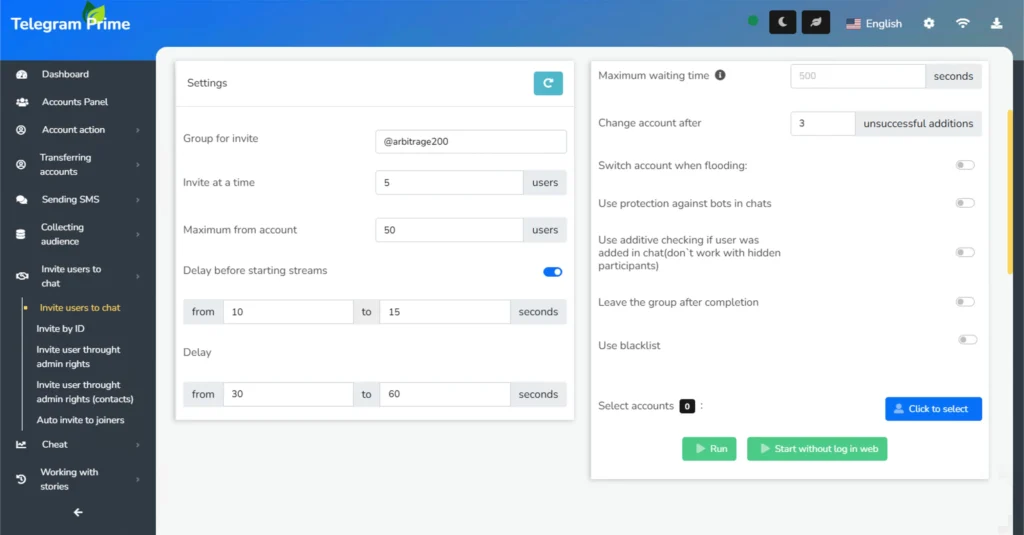
Inviting in Telegram is one of the most effective ways to quickly attract an active, targeted audience to chats and channels. A well-structured inviting strategy fills your community with engaged participants in a short time, outpaces competitors, and boosts reach without expensive advertising. Today, several inviting methods exist, including classic inviting, auto-inviting for new joiners, and advanced admin-based inviting, which bypasses some Telegram limits and allows inviting users with closed DMs. Now, you’ll learn how different types of invites work, their advantages, and how to achieve maximum results with them.
Invite via admin panel: exceeding limits
Inviting Telegram users via the admin panel is a method of adding them directly to a Telegram group, bypassing the standard “Invite” button in the client. In this approach, an account with administrator rights adds participants through the management panel, followed by removal from the admins. As a result, the user remains in the chat and doesn’t see who added them.
Our research shows that this method allows inviting 93% more users compared to classic inviting.
Why is an invite via the admin panel more effective?
Unlike the usual, invite through the admin panel:
- Removes some of Telegram's limits on the number of invittes per day;
- Allows you to invite even those who have private messages closed;
- Works "quietly" - users do not receive personal notifications from your account;
- Reduces the likelihood of spam blocking at moderate volumes.
Inviting is done on behalf of the group, which increases trust and reduces negative reactions.
Comparison of methods
|
Parameter |
Regular Invite |
Admin Panel Invite |
|---|---|---|
|
Limits |
~50 per day |
Depends on the group, 500+ |
|
Method |
Invitations from accounts |
On behalf of the group |
|
Risk of Blocking |
High with mass invites |
Lower with targeted database |
|
Closed DMs |
Cannot add |
Can add |
The Telegram Prime inviter can process databases with over 50,000 contacts, a capability most competitors lack.
When to use
- Launching a new channel from scratch.
- Mass transferring an active audience to a new chat.
- Quickly filling a test group to validate hypotheses.
Inviting users to a Telegram chat is the most cost-effective way to attract an audience. By adhering to specific limits, accounts can operate almost indefinitely without bans.
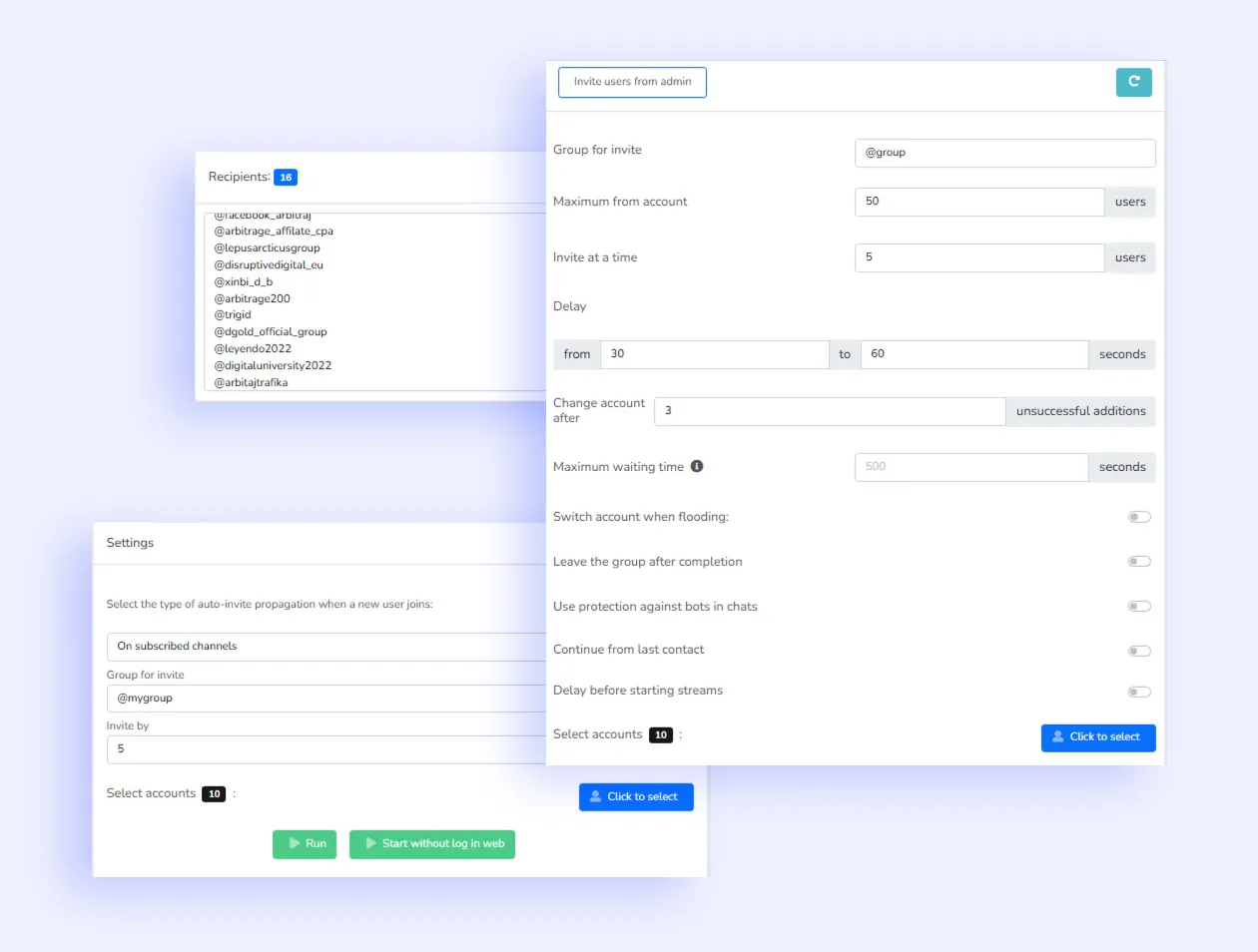
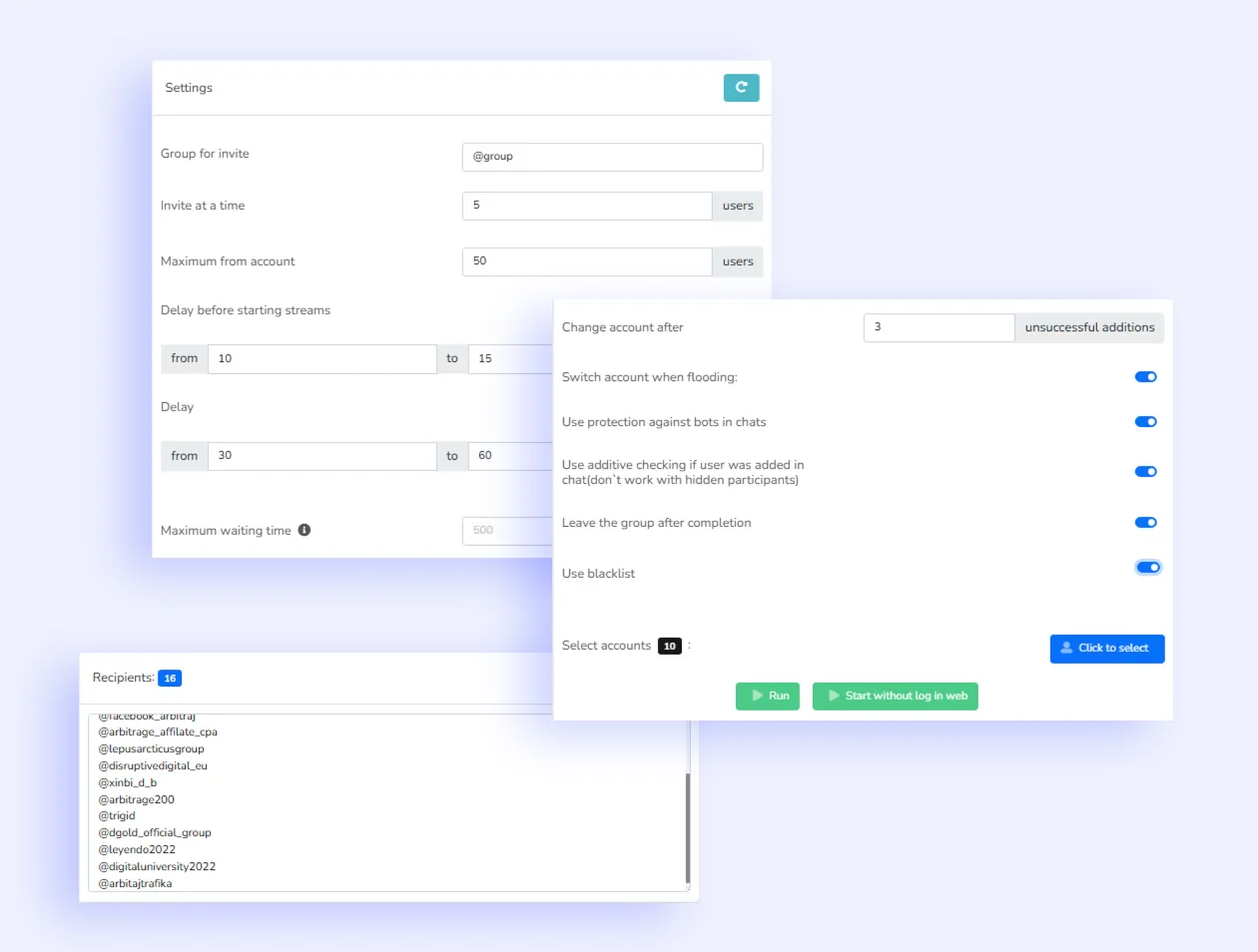
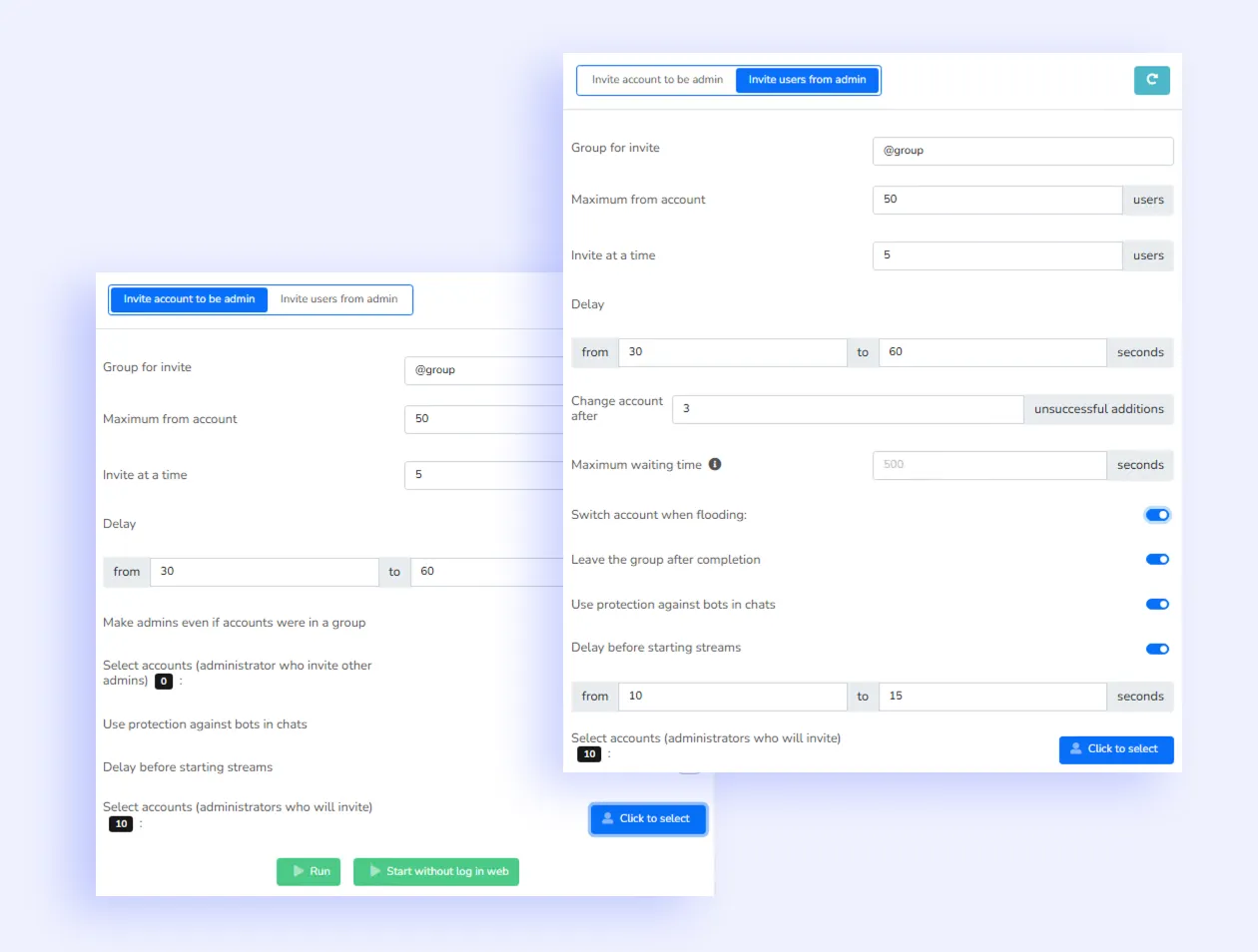
In addition to admin panel inviting, the software includes classic inviting and auto-inviting for new joiners. Classic inviting is less practical today due to Telegram’s anti-spam system, but auto-inviting for new joiners deserves a separate discussion.
Auto-invite those who joined the chat
Auto-inviting from competitors’ chats to your own in Telegram Prime is a powerful lead generation tool. It tracks new members in selected competitor groups or channels in real time and instantly invites them to your target group or channel. This approach targets a highly “warm” audience already interested in your niche. You can adjust invitation speed, select target groups, and automate the entire process to save time on manual tasks. As a result, you gain a stream of hot leads, outpacing competitors and pulling active users into your community.
The tool is ideal for marketers, channel owners, chat administrators, and anyone looking to rapidly grow an active subscriber base in Telegram.
💡 All types of inviting in Telegram Prime support:
By usernames — uses usernames or phone numbers as the database.
By ID — similar to ID-based messaging, enabling maximum reach from a single group.
By contacts — for example, you can invite everyone in the contact list of a working account.
Ready to grow your audience?
Get Telegram Prime inviting software and start growing today. The faster you start, the fewer competitors will occupy your niche.
Answers to Popular Questions about Inviting Users in Telegram
Do I need to get consent to invite participants?
No, the Telegram Prime invite module invites users to the group automatically, without the need to obtain consent.
This is the standard Telegram mechanism, supported through internal invitation methods.
Does the program support inviting through the admin panel? Is there auto-assignment and auto-removal of administrators?
Yes. Telegram Prime was one of the first to implement inviting through the admin panel — a method previously available only to closed communities.
The function of automatic assignment and removal of administrators has been working since release and remains a key part of the module.
Can I invite users by ID or username? Is mass inviting supported?
Yes. The software supports both invite formats — by @username and by internal user ID.
Mass inviting mode is activated automatically when working with large contact lists or databases collected through the parser.
How to avoid bans during inviting? What are the safe limits for invitations?
To avoid Telegram restrictions, adhere to real limits:
• classic invite — no more than 5 invitations per day from one account;
• invite through admin panel — up to 45 invitations per day.
For more details, see our guide: 👉 Real Telegram Limits 2025
Can I automatically invite users who have joined from other chats?
Yes. Telegram Prime has an Auto-Invite Joined module, which tracks new participants in the donor chat and instantly invites them to the target group.
The function works in real time and supports filters by audience type and source.